
Start with the job
Why this workflow exists
New inquiries sit across portals, email, and phone notes until an agent has time to respond.
Slow response loses high-intent buyers and makes follow-up inconsistent.
A new property inquiry arrives.
Evidence and assumptions
What this playbook assumes
New inquiries sit across portals, email, and phone notes until an agent has time to respond.
The real estate agent already has access to the source system and can approve the output.
AI does not make the final customer, candidate, property, campaign, or client-facing decision.
Last reviewed: 2026-08-05
AI workflow
Where AI helps, and where a person decides
The workflow is useful because each automation step ends at a named human checkpoint.
Capture inquiry
Create one lead record with source and property context.
- Input
- Portal, web form, or email inquiry
- AI action
- Extract contact, property, intent, timing, and unanswered questions.
- Human checkpoint
- Agent confirms the record and consent context.
- Output
- Lead record
Draft response
Give the lead a useful first response.
- Input
- Lead record and listing facts
- AI action
- Draft a concise response and a next-step question.
- Human checkpoint
- Agent approves before sending.
- Output
- Approved response
Route next action
Make ownership and follow-up explicit.
- Input
- Approved response and lead intent
- AI action
- Suggest owner, priority, and follow-up date.
- Human checkpoint
- Team lead confirms assignment.
- Output
- Assigned next action
Choose with context
What should your team do next?
Answer three questions to find the most practical next step for your current system, capability, and strategic need.
Answer the questions to choose a path for this workflow.
Strengthen team capability
The agency wants to improve response consistency with its current CRM.
Trade-off: The team must define routing rules and approve messages.
Open the capability routeUse an existing tool
Your CRM or portal already offers lead automation.
Trade-off: Less control over message and routing logic.
Check your current systemCreate a custom workflow
Lead volume and routing complexity justify custom ownership.
Trade-off: Needs stronger integration and consent handling.
Review the custom workflow routeRecommended next move
Start with the capability map below. It connects the selected workflow step to a focused resource and a concrete deliverable.
Open the capability routeKeep your current system if it can preserve source context, expose missing data, allow human editing, and keep observed facts separate from generated interpretation.
Follow Up Boss · Real estate lead and follow-up platform
Compare Follow Up Boss for this workflow
- Best when
- Your current system cannot preserve the required workflow inputs, controls, or review states.
- Avoid when
- Your existing system already satisfies the workflow requirements and keeps the data in one place.
- Why it fits
- Compare Follow Up Boss when the current system fails one of the workflow requirements.
- Limitation
- Provider defaults may not match your fields, permissions, or review policy.
- Trade-off
- Faster setup with less control over vendor-specific workflow behavior.
Related template or use case: Open provider guidance
Alternative: Use the automation feature in your current platform · Last checked 2026-08-05
Create a custom workflow when the process is differentiated, integration-heavy, or sensitive enough to require ownership of data boundaries, approvals, and maintenance.
Make · Automation layer
Create this workflow with Make
- Best when
- The workflow repeats often enough to justify visible automation and an owned handoff.
- Avoid when
- The workflow is still changing or the team has not agreed on source ownership and human approval.
- Why it fits
- Make can support the workflow's explicit handoffs before a custom backend is justified.
- Limitation
- The team still owns configuration, monitoring, and the final human checkpoint.
- Trade-off
- More control than a fixed product, with more setup and maintenance responsibility.
Related template or use case: Open provider guidance
We may earn a commission if you sign up through this link.Alternative: Use the automation feature in your current platform · Last checked 2026-08-05
Railway · Application and infrastructure layer
Create this workflow with Railway
- Best when
- The workflow repeats often enough to justify visible automation and an owned handoff.
- Avoid when
- The workflow is still changing or the team has not agreed on source ownership and human approval.
- Why it fits
- Railway can support the workflow's explicit handoffs before a custom backend is justified.
- Limitation
- The team still owns configuration, monitoring, and the final human checkpoint.
- Trade-off
- More control than a fixed product, with more setup and maintenance responsibility.
Alternative: Use the automation feature in your current platform · Last checked 2026-08-05
Capability map
What does your team need to operate this workflow?
Choose a step and your current level to see the shortest route to a useful deliverable.
AI response drafting
The draft must use current listing facts and avoid unsupported advice.
Recommended learning route
Using AI in Make
Use the no-code lessons to prototype response and routing, then keep agent approval in the loop.
Ready-to-use artifact
Lead response brief
This is the complete operating template for the workflow: input contract, runbook, automation handoff, human review, escalation, and a test case.
Workflow template
Open the complete operating runbook
The full Markdown stays out of the page until you ask for it. Open it when you are ready to adapt this workflow to your team.
What happens next
- Capture inquiryExtract contact, property, intent, timing, and unanswered questions.
- Draft responseDraft a concise response and a next-step question.
- Route next actionSuggest owner, priority, and follow-up date.
Check before action
- Capture inquiryAgent confirms the record and consent context.
- Draft responseAgent approves before sending.
- Route next actionTeam lead confirms assignment.
Assigned next action
Test the filled template on one real but non-sensitive example. Keep the source context and approval decision with the team that owns this workflow.
Implementation stack
What the workflow needs
Automation and AI usage
CRM or portal fees · Messaging fees
Explore the product angle
Ideas connected to this workflow
Use this workflow inside an agency, or explore product ideas built around the same operational problem.
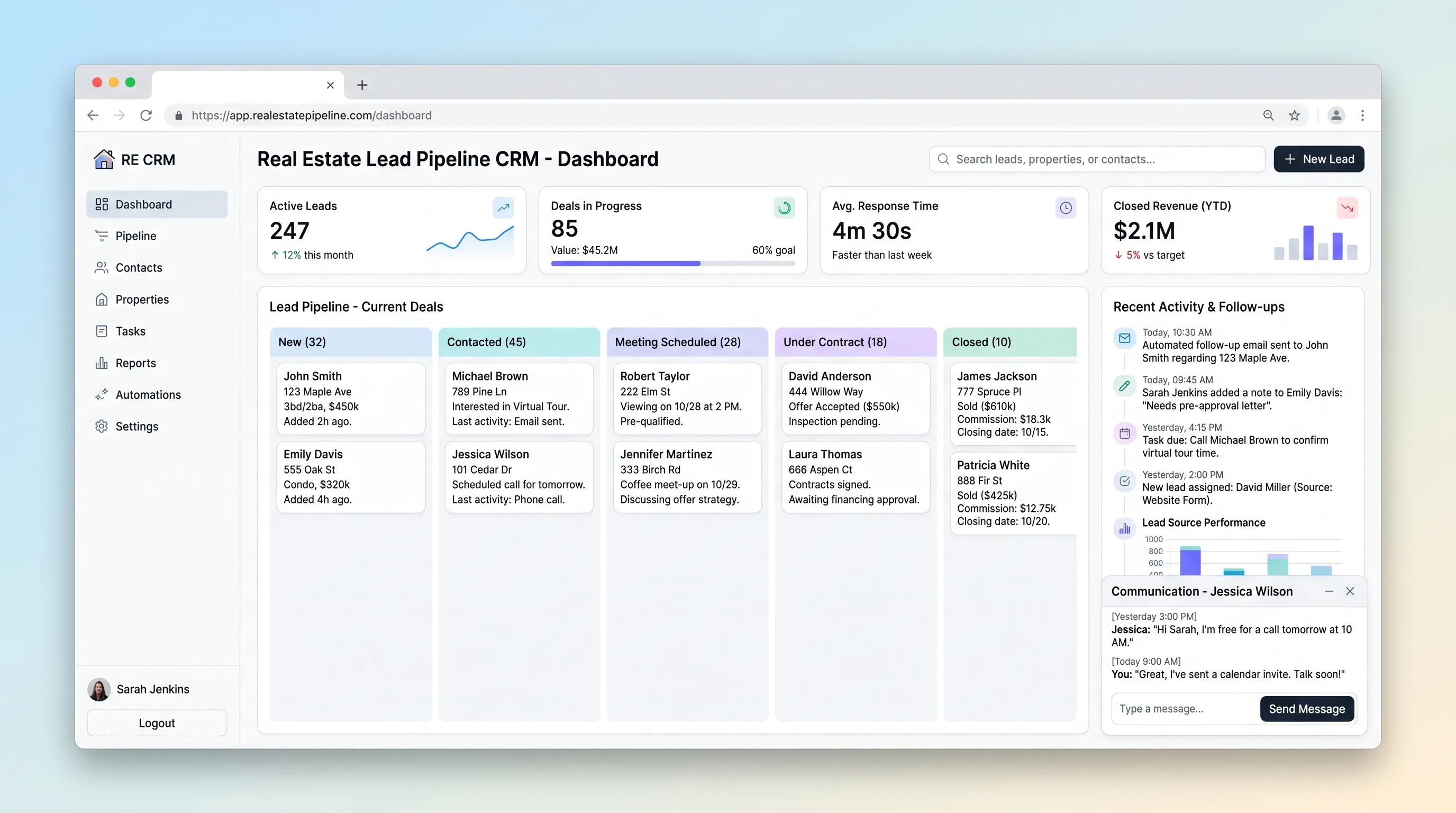
Internal ToolReal Estate
Real Estate Lead Pipeline CRM
A focused CRM for agents to qualify property inquiries, schedule the next contact, move opportunities through deal stages, and see overdue follow-ups.
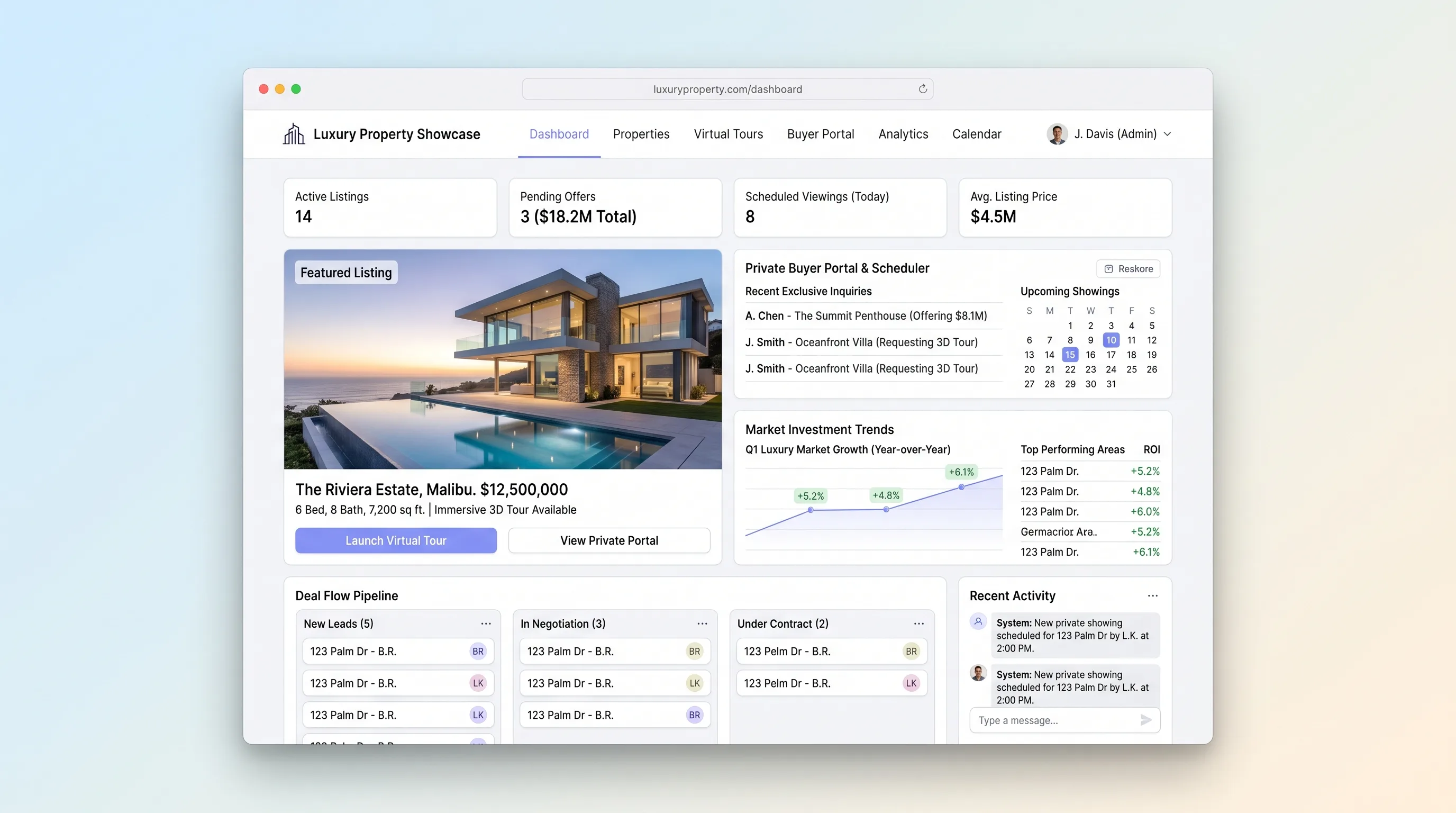
Website & Lead GenerationReal Estate
Luxury Property Showcase with Virtual Tours & Private Buyer Portal
A premium listing site that gates private property materials, embeds immersive tours, records buyer access decisions, and coordinates showings.
Next workflows
Related playbooks

Real estateReal estate agencies
Viewing follow-up and next action
Turn viewing notes into a timely follow-up draft and a clear next action for the agent.

Real estateReal estate agencies
Listing draft and approval
Turn verified property facts into a listing draft while preserving source links and broker approval.